
Solutions
Security doesn't stop after deployment
Applications change. Policies get edited. Business requirements move on. Devicie helps IT and security teams keep supported applications up to date, restore agreed settings in managed policies and review reported results across devices. Keep the work behind endpoint security moving as your environment changes.
IT and security
Connect security priorities with the work of IT
IT and security need to agree what should change, how it can change safely and how they will review the result.
A security update still needs a package and a rollout. An agreed setting still needs to be maintained. Both teams need useful information about what happened and what needs attention.
Devicie helps carry that recurring work through maintained application packages, managed-policy correction and reported results. Your teams retain the decisions about priorities, business requirements and exceptions.
Endpoint security
Maintain endpoint security
Keep application updates moving
See the application versions installed across your devices, deploy supported applications from a maintained catalog and review reported installation results. Reduce the packaging work that repeats with each release.
Explore native Intune application patching →Restore agreed security settings
When a managed policy drifts from its agreed state, Devicie corrects it and sends a readable notification. Use a defined change process when your requirements need to change.
Explore configuration drift remediation →Bring your own applications into a reviewed process
Upload an installer, specify the requirements and use Devicie's reviewed Intune Native App Packaging workflow for deployment through Intune. When the next version arrives, submit the new installer and reuse the previous setup where applicable.
Explore Intune Native App Packaging →What to review
See the work and its result
A package ready for deployment and an update installed on a device are separate milestones. So are a policy corrected in Intune and its receipt by a device. Review each stage to understand what the reported result establishes.
Follow an application update
Start with the reported versions on your devices. Review the available catalog package, its assignments and reported installation results. Identify the devices that still need attention.
Inspect a policy correction
Review an agreed managed-policy setting, a change to that setting, its correction and the notification your team receives. Then see how a deliberate change is handled.
How it builds
Build trust. Automate recurring work. Reduce delay.
Start with a defined application or policy scope. Review the packaging process, test the business impact and agree how intentional changes will be handled.
That gives your teams a basis for delegating recurring work. Devicie maintains supported catalog packages and corrects managed-policy drift, reducing the manual preparation and correction between decisions and action.
Review the reported results and exceptions together. Use what you learn to adjust rollout decisions and agree where to extend management. Trust, automation and speed remain connected as the work repeats.
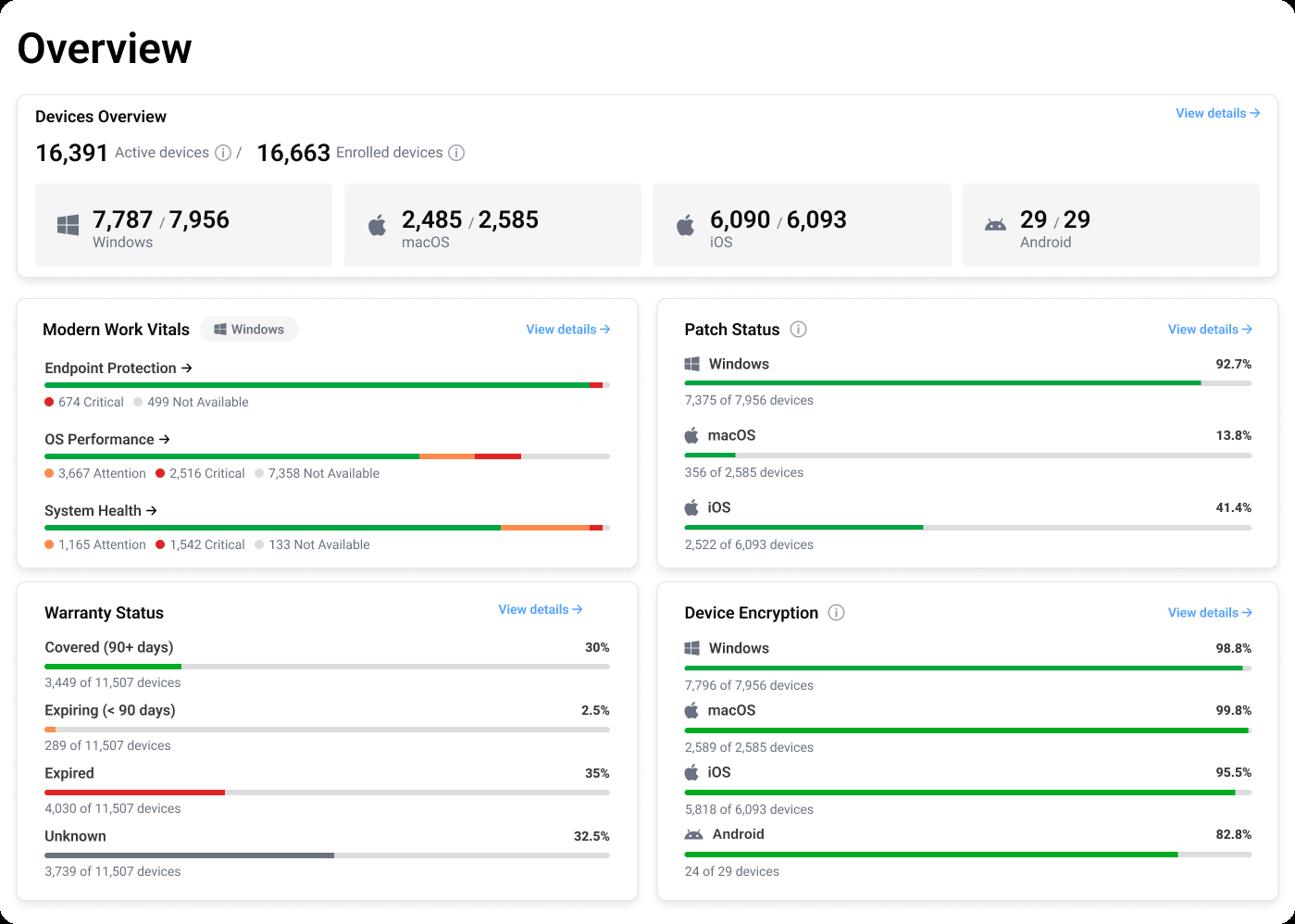
Operating model
Keep pace with changing security and business demands
Consolidate Intune management tools
Compare the workloads behind your tools and scripts. Identify what Devicie can take on, which dependencies remain and what can be retired once the replacement is verified.
Explore tool consolidation →SCCM to Intune migration
Prepare applications and configuration for the move from SCCM to Microsoft Intune, with ongoing management built in.
Explore SCCM to Intune migration →Support devices proactively
Use Windows performance information to identify outliers and reported device details to guide investigations. Give your support team information it can act on before another employee raises a ticket.
Explore proactive device support →Security requirements
Connect the work to your security requirements
Each requirement needs a clear view of supported capabilities, available evidence and the responsibilities that remain with your organization.
NIST CSF 2.0
Explore how supported device inventory, software maintenance and configuration management can contribute to relevant outcomes in your organization's CSF profile.
CIS Benchmarks
Review supported configuration and assessment coverage, including the applicable benchmark versions, levels and exceptions.
Essential Eight
Examine the supported application and configuration work relevant to your target maturity level, alongside the other requirements your organization needs to address.
DORA
Evaluate the contribution of device maintenance and controlled configuration changes within your organization's broader digital operational resilience program.
What to compare
Compare approaches to continuous Intune management
Look at setup, application maintenance and policy upkeep together. Establish what Devicie would take on, what your team would retain and which existing tools would still be needed.
Use that scope to compare internal automation, consolidation and the products on your shortlist.
Find the approach that fits your organization.
The recurring work is the same everywhere. What differs is which applications matter, which requirements apply and who signs off.
Nine industries and two roles, each with the applications those teams depend on and the decisions that stay with your organization.
Start with the work your team carries today
Bring the applications you maintain, the settings you need to preserve and the tools your team supports. See where Devicie fits and what your team can stop doing manually.