
Security requirements
Turn your CSF priorities into ongoing device maintenance
Your cybersecurity profile needs a practical path into daily operations. Devicie helps IT and security maintain supported applications, manage agreed configuration and review device information as the environment changes.
From outcomes to operations
Support device-related outcomes through ongoing management
NIST CSF 2.0 describes cybersecurity outcomes that organizations can use to assess their position and set priorities. Your organization decides how to achieve the outcomes relevant to its risks.
For the devices you manage through Intune, that creates recurring work: understand what is present, maintain the software, preserve agreed settings and investigate exceptions.
Devicie contributes to that work through application inventory, maintained packages and managed-policy drift correction. Your teams retain ownership of the profile, risk decisions and the wider cybersecurity program.
Selected outcomes
Connect outcomes to actions and reported results
The examples below describe partial contributions to selected CSF outcomes. The outcome descriptions are summaries; the identifiers refer to the CSF Core. A device inventory is one part of an organizational asset inventory. Application packaging supports software maintenance; your organization still decides what to replace or remove. Evaluate each contribution within the full outcome.
| CSF outcome | Devicie provides | What your team can review |
|---|---|---|
| ID.AM-01 — Hardware inventory | Device reporting provides information about supported managed devices. | Device records within the supported scope. |
| ID.AM-02 — Software, services and systems inventory | Reported application inventory shows installed applications and versions on supported devices. | Discovered software, kept distinct from applications assigned for deployment. |
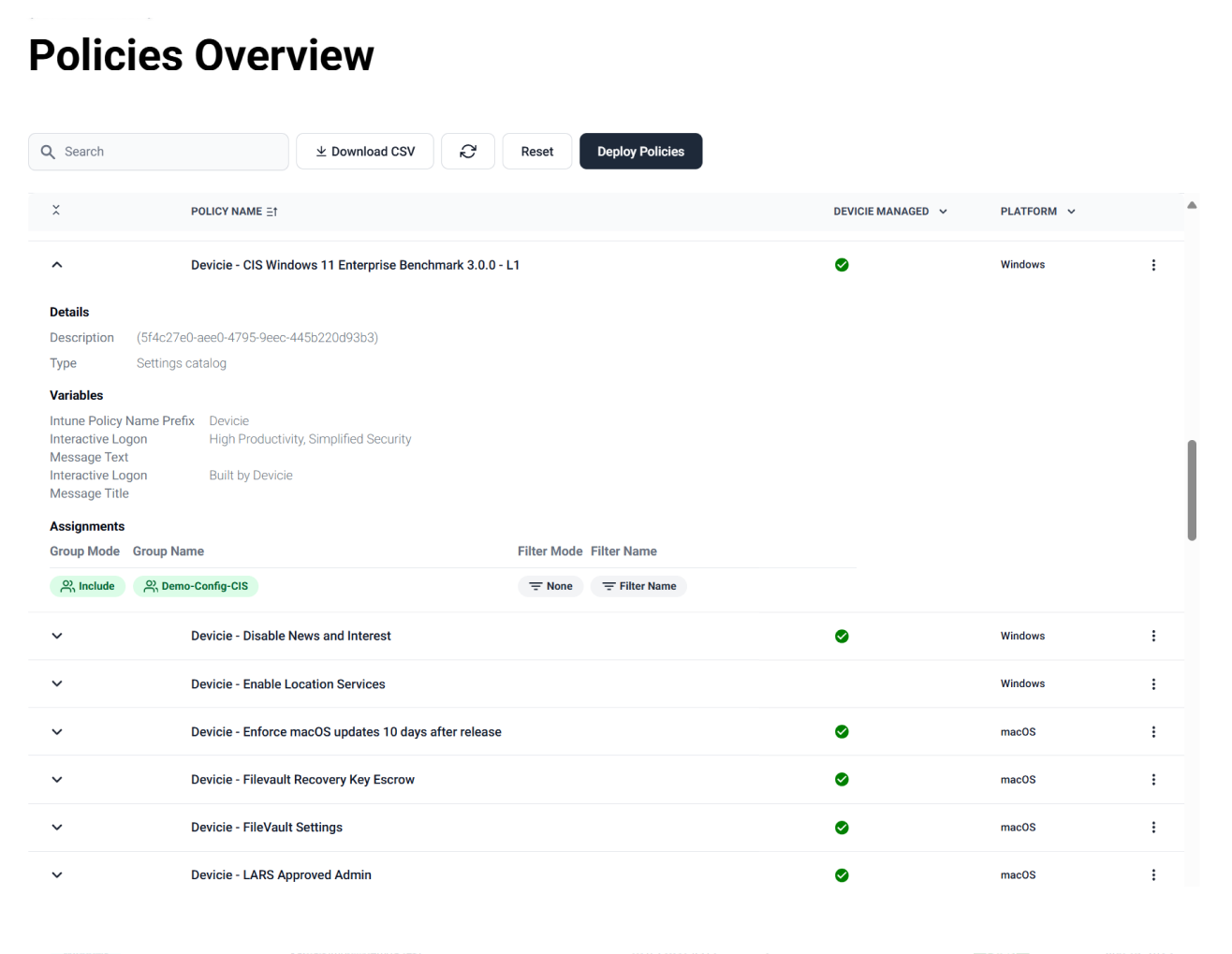
| PR.PS-01 — Configuration management | Devicie maintains agreed managed policies, corrects drift and provides an intentional-change workflow. | A managed-policy change, its correction and the readable notification. |
| PR.PS-02 — Software lifecycle maintenance | Maintained catalog packages and submitted-installer packaging support application updates. | Available package versions, assignments and reported installation results. |
IT and security together
Review progress together across IT and security
Start with an outcome your teams have agreed to address.
For application maintenance, identify the relevant application set, review package coverage and agree how releases should be introduced. Then inspect reported installation results and assign follow-up for exceptions.
For configuration, agree which policies Devicie will manage and who may change them. Review a correction notification alongside the process for making an intentional change.
Both teams can use the same workflow to understand what Devicie handles and what remains with the organization.
Use reported results to inform your CSF Organizational Profile
Current and Target Profiles
Profiles help organizations describe their position, compare it with desired outcomes and plan improvements.
Available outputs
Devicie's available reports and notifications can provide inputs to that work. Establish the scope, date and meaning of each output before using it in your assessment.
What a report does not establish
Reporting refreshes daily. A corrected policy in Intune does not establish when a device received it, and an application assignment does not establish successful installation.
Your organization decides
Your organization determines which additional checks and records it needs to substantiate an outcome.
After the assessment
Keep the work moving after the assessment
A profile review creates priorities. The operational work continues as applications release new versions, administrators edit policies and business requirements change.
For a selected application-maintenance outcome, agree the application scope and rollout owner, review the supported package and inspect reported results. For configuration, establish the agreed managed state and inspect what happens after a change.
Devicie carries supported package maintenance and policy correction through those recurring cycles. Your team uses the available outputs, together with its other checks, to assess progress toward the chosen outcome.
Questions we get asked
Does Devicie make us NIST CSF compliant?
Devicie contributes to selected device-management activities. It does not establish achievement of your entire profile. NIST does not certify or endorse CSF implementations or products.
Is the Intune Health Assessment a CSF assessment?
No. It reviews the agreed Intune assessment scope. Its findings may inform relevant work in your CSF profile, alongside the other information your organization needs.
Does the mapping cover our whole technology environment?
No. The examples concern supported device and application management through Intune. Your wider assets, services, governance and security operations require their own coverage.
Walk through the device-related work in your profile
Bring a relevant CSF outcome and the maintenance process behind it. Review Devicie's supported contribution, inspect the available output and identify the remaining responsibilities.