
Platform / Reporting
Know which devices need attention
Make informed decisions about device health, support and hardware spending. Devicie brings together application and policy details, Windows health data, warranty information and operating system patch history so your team has useful context for the decisions it makes every day.
Why it matters
Your devices keep changing. Your decisions need to keep up.
Bring application, device-health and available historical context together to investigate issues and plan next steps. Devicie builds on information available through Microsoft Intune to support day-to-day device management.
A device starts taking longer to log on. An application appears outside the expected set. A warranty approaches its end.
Each creates a decision for IT: investigate, support, replace or leave alone. Making those decisions takes visibility into the devices your business uses.
Devicie gives your team a recurring source of device information for day-to-day support, maintenance reviews and longer-term planning. Reporting refreshes daily.
Device performance
Find performance problems before another ticket arrives
Slow devices cost employees time, often before they contact the service desk.
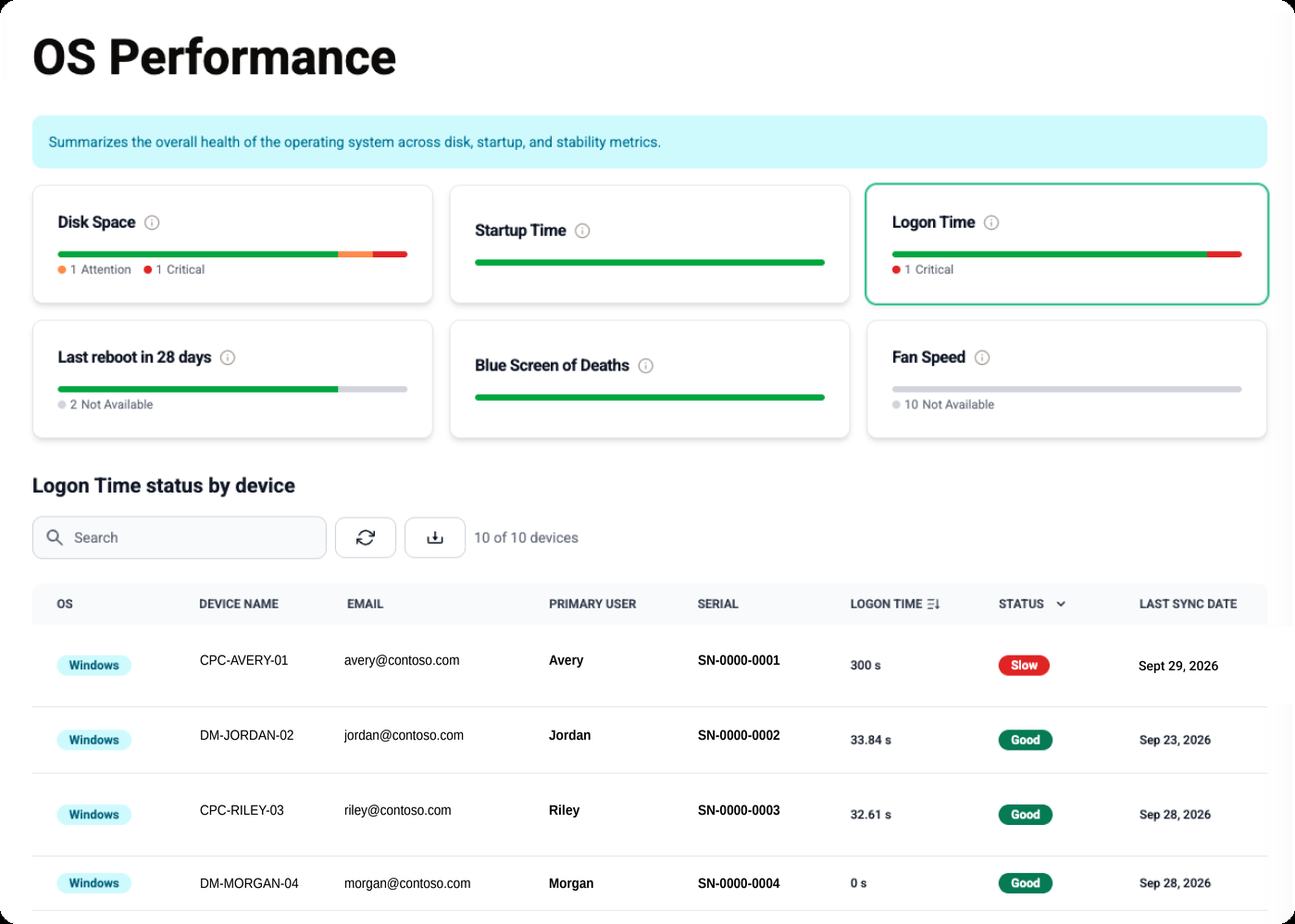
Modern Work Vitals gives your team visibility into Windows device health and performance. Compare logon times with the average across your devices to identify outliers and decide where to investigate.
Your team can use that information to approach affected employees proactively, bringing attention to problems that might otherwise go unreported.
- Device
- WKS-0148
- Operating system
- Windows 11 24H2
- Last check-in
- Today, 08:42
- Policies applied
- 14 succeeded, 1 failed
- Defender
- Enabled
- BitLocker
- Enabled, key escrowed
- Logon time
- Elevated
Service desk context
Bring device context into every support conversation
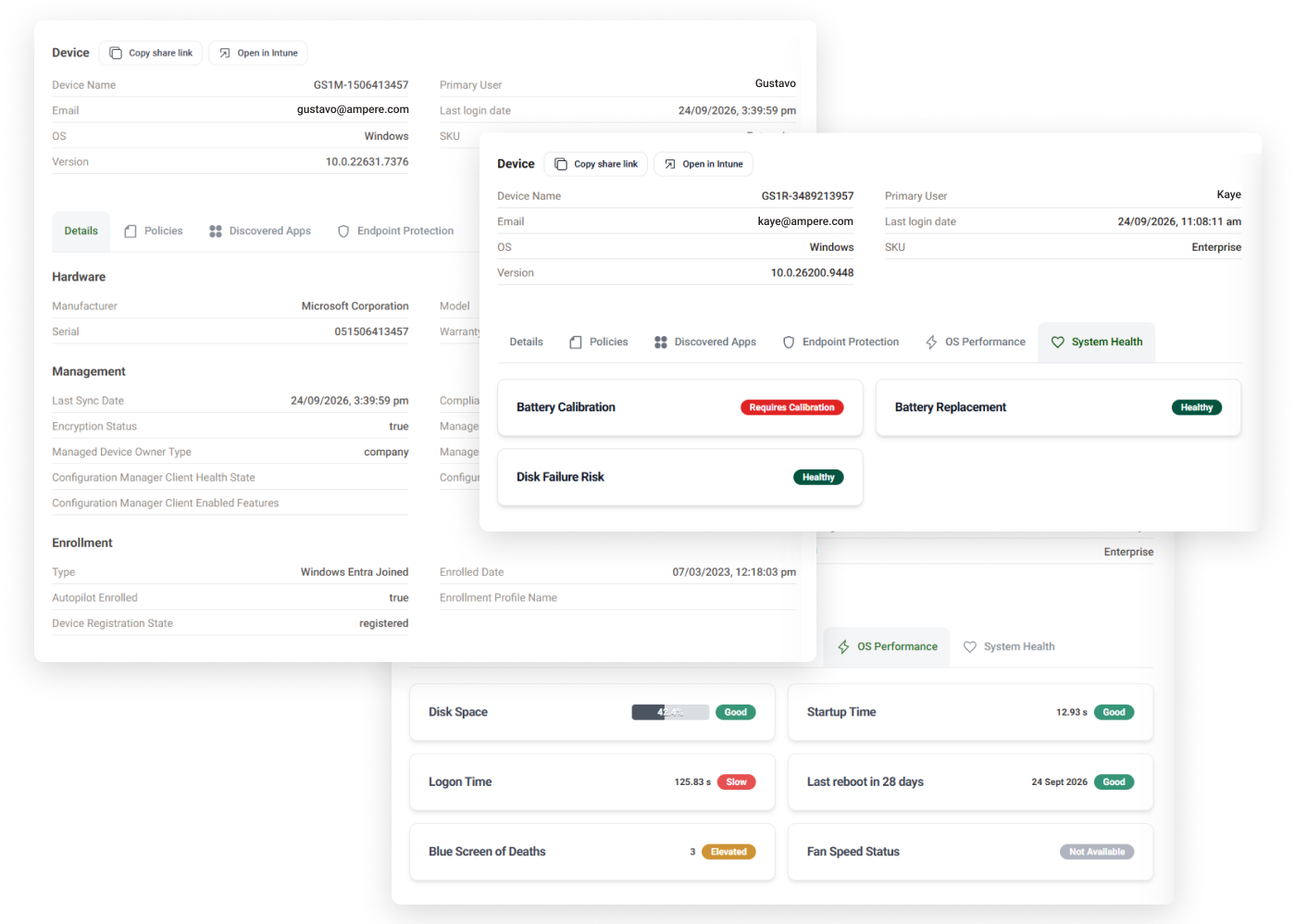
Look up a device to review reported application inventory and policy details for Windows or macOS.
On Windows, performance information, last reboot and last sync add context. If a user reports a slow start, the team can compare the reported logon time, check device communication and review installed software before deciding what to investigate.
These details provide a starting point without first logging into the employee's device. They help the team choose its next question; the support investigation establishes the cause.
Also in reporting
Bring warranty information into hardware planning
Warranty coverage belongs in the conversation about which devices to repair, retain or replace. Devicie provides warranty reporting for supported devices, helping your team see where coverage is ending and where it has already expired. Use that information alongside device condition and business requirements when planning hardware spending.
Review operating system patching over time
Devicie provides operating system patch history for your team to review. Use the recorded history to investigate past patching activity and support regular maintenance reviews. It gives your team information to refer back to when questions arise about earlier patching.
Put the data to work for your business
Your organization will have questions that standard reports do not cover. Devicie's API gives your team access to data it can use to build reports around those needs. Use the reporting interface for routine investigations and the API when you need a view tailored to your business.
What to compare
Connect decisions to the data behind them
An internal dashboard brings continuing work around collection, integrations, storage and reporting logic. Devicie provides collected device information and API access that your team can use for its own questions.
Evaluate a report through the decision it supports. Can the service desk identify a device to investigate? Can IT review an application result? Can the hardware team identify supported devices with expiring warranties?
Check the fields, platform coverage, freshness and exports you need. The useful comparison is the information and ongoing reporting work your team would otherwise maintain.
Questions we get asked
How often does reporting refresh?
Reporting refreshes daily. Last-sync information helps your team understand how recently a device communicated, so it can interpret the reported data in context.
Does Modern Work Vitals support macOS?
Modern Work Vitals is for Windows devices. Application inventory and policy details are also available for macOS devices.
Can we use the data in our own reports?
Yes. Devicie provides API access so your team can build reports using the available data.
Can reporting help us support employees proactively?
Yes. Your team can review device performance, identify outliers such as unusually slow logon times, and investigate before an employee raises a ticket.
See the context behind your next device decision
Explore Devicie's reporting and discuss the device health, support and planning questions your team needs to answer.