
IT and security
Turn security priorities into daily operations
IT and security share a goal: devices that support the business and meet agreed security requirements. Devicie helps carry the recurring application and configuration work behind that goal, with reported results your teams can use to review progress.
Where the work starts
Security decisions are only the start
Agreeing that an application needs an update creates a sequence of tasks. The package needs to be prepared, the rollout planned, the result checked and the exceptions investigated.
Agreeing on a security setting creates a continuing responsibility to maintain it as administrators make changes and business needs evolve.
Security defines the requirements. IT determines how changes should reach users. Devicie prepares and tests supported application updates, maintains supported managed policies and corrects policy drift. Both teams can review reported results to identify what needs attention and agree the next action.
Shared requirements
Connect security requirements to action and results
Your teams establish priorities and agree how changes should be introduced. Devicie takes on supported packaging and managed-policy correction work within that scope.
| Shared requirement | Devicie provides | Your team owns |
|---|---|---|
| Keep supported applications up to date | Maintained catalog packages, application assignments and reported installation status | Available versions, rollout decisions, reported results and devices that still need attention |
| Preserve agreed configuration | Drift correction for managed policies and readable notifications | What changed, what was corrected and whether the agreed state needs a deliberate update |
| Give specialized software a repeatable deployment process | Submitted-installer packaging, a reviewed workflow and reuse of previous setup for later versions | Installation requirements, package review and testing, business acceptance and assignments |
Each team's view
Give each team something useful to act on
The same workflow gives each team a clear role. Devicie carries supported recurring work; IT and security direct the decisions that depend on the business.
For security: see how an agreed requirement is maintained
Review reported application versions and installation results when following up on software maintenance. Inspect managed-policy correction notifications to understand what changed and what was restored.
For IT: reduce the preparation behind the requirement
Use maintained catalog packages and submit your own installers through the reviewed workflow. Devicie corrects managed-policy drift while your team retains requirements, rollout decisions and the intentional-change process.
Together: decide what happens next
For an application update, agree which reported exceptions need investigation and who owns them. For configuration, decide whether a corrected policy should remain as agreed or needs a deliberate update.
One shared view
Both teams read the same reported results
Security defines the requirements. IT determines how changes should reach users. Both teams review the same reported results, so a conversation about what to address next starts from the same information rather than from two separate tools.
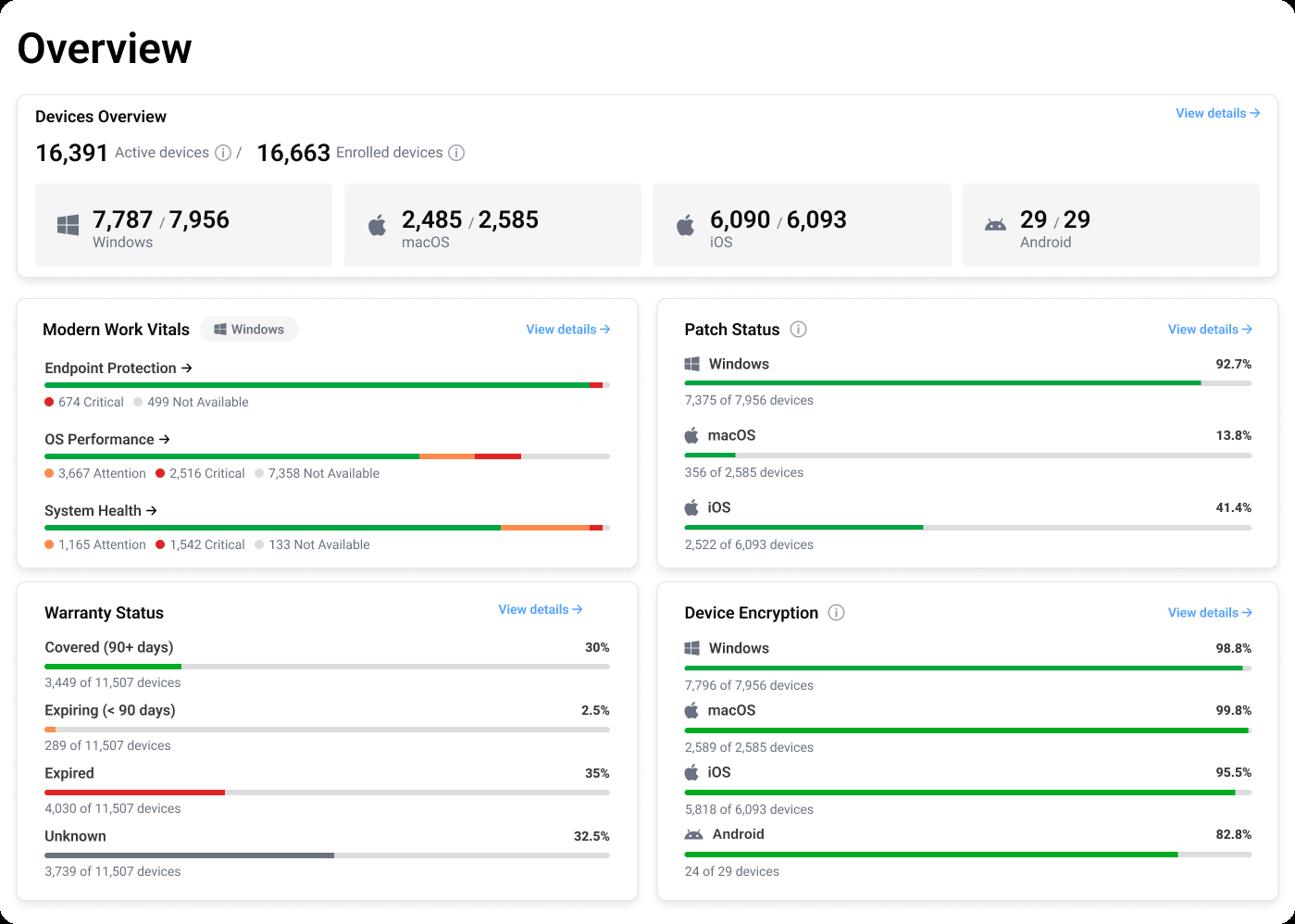
Device health, patch status, encryption coverage and warranty position sit together, with the detail behind each figure available to whoever needs it.
Reading the result
Review the outcome at the right stage
A package being available, an application being assigned and a device reporting installation are different stages. A policy restored in Intune and that policy reaching a device are different events.
Use those distinctions to give both teams a clear view of progress. Reporting refreshes daily, so interpret reported device information with its freshness in mind.
When a reported result needs investigation, agree who owns the follow-up and how it will be resolved through your existing processes.
Delegating the work
Move faster with a process you trust
Clear scope, reviewed packaging and an intentional-change process give your teams a basis for delegating recurring work.
Automation can then reduce manual preparation and policy correction. Your teams review results and exceptions, adjust their decisions and agree where to extend management.
Security priorities and operational requirements stay connected as the work repeats.
As things change
Keep the process effective as the environment changes
The next application release creates another update. A new business requirement creates another configuration decision. An administrator's edit can create another correction.
Devicie maintains catalog packages and develops and tests its configurations as Intune and security benchmarks evolve. Your teams can draw on that continuing work when planning improvements.
The value is in sustaining the process after the initial deployment, with less recurring work dependent on the availability of individual team members.
Questions we get asked
Who decides which risks take priority?
Your organization sets priorities using its security requirements, risk assessment and business context. IT and security agree how those priorities translate into changes to the environment.
What can IT and security review together?
Review reported application versions and installation results, managed-policy correction notifications and the work that still needs attention. Use the same example to agree what the result establishes and who owns the next action.
Can we change configuration when business requirements change?
Yes. Managed policies have a pause, edit and resume workflow for deliberate changes. Your organization decides who can make those changes and which requirements the revised configuration needs to meet.
Bring IT and security into the same working session
Choose an application update or a managed-policy change. Walk through what Devicie handles, what your teams decide and which reported results support the next action.