
Platform / Applications
You cannot manage the applications you cannot see
See what is installed across your devices, understand where versions differ, and bring the applications your business needs under management. Devicie combines application visibility, a maintained catalog and packaging for your own software to reduce the recurring work of ongoing application management.
What is installed
Close the gap between deployed and discovered applications
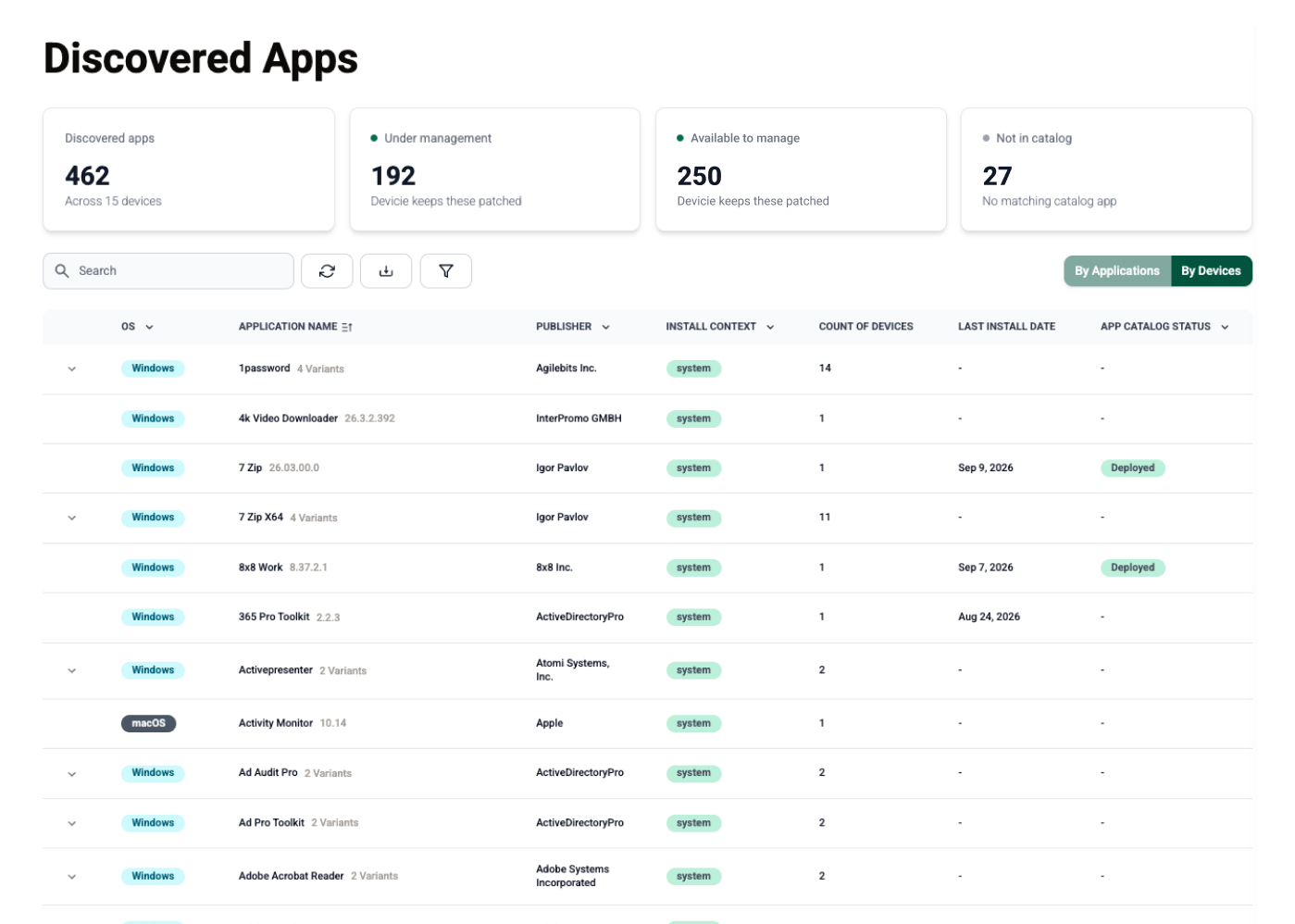
An application list in Intune tells only part of the story. Employees may have installed additional software, and different versions of the same application can remain across devices.
Devicie collects application inventory from devices, including software installed for individual users. Your team can see which applications and versions are present and compare that with what the business expects.
During onboarding, Devicie works with your team to agree which applications are needed and what should be managed. That gives you a practical starting point for addressing outdated or unexpected software.
Use application inventory to identify software that needs attention, then establish which applications Devicie can bring into an ongoing management workflow. Discovery alone does not mean an application is managed.
After deployment
Keep catalog applications up to date with native Intune patching
Each new release creates more work: preparing the package, making it available for deployment and checking installation status.
Devicie maintains supported application packages for Windows and macOS. Check the applications and versions your organization needs; coverage differs by platform.
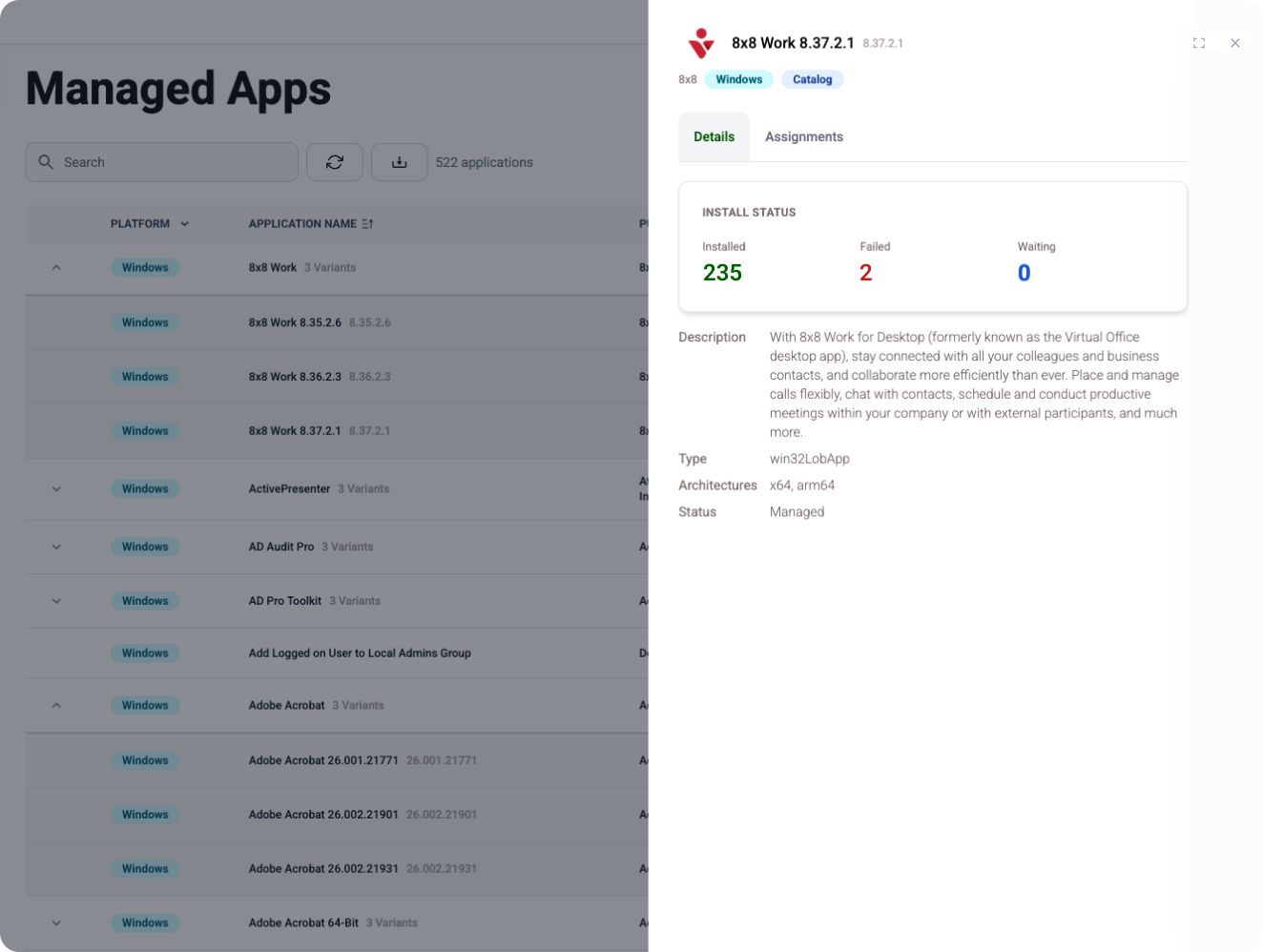
Your team can deploy catalog applications through Intune, manage assignments and review reported installation status. Application discovery and management views distinguish what is installed on devices from what is assigned through your tenant.
That distinction helps your team identify where further investigation or action is needed.
Your own software
Support your specialized and line-of-business applications
Specialist and internally developed applications need a place in the maintenance process too.
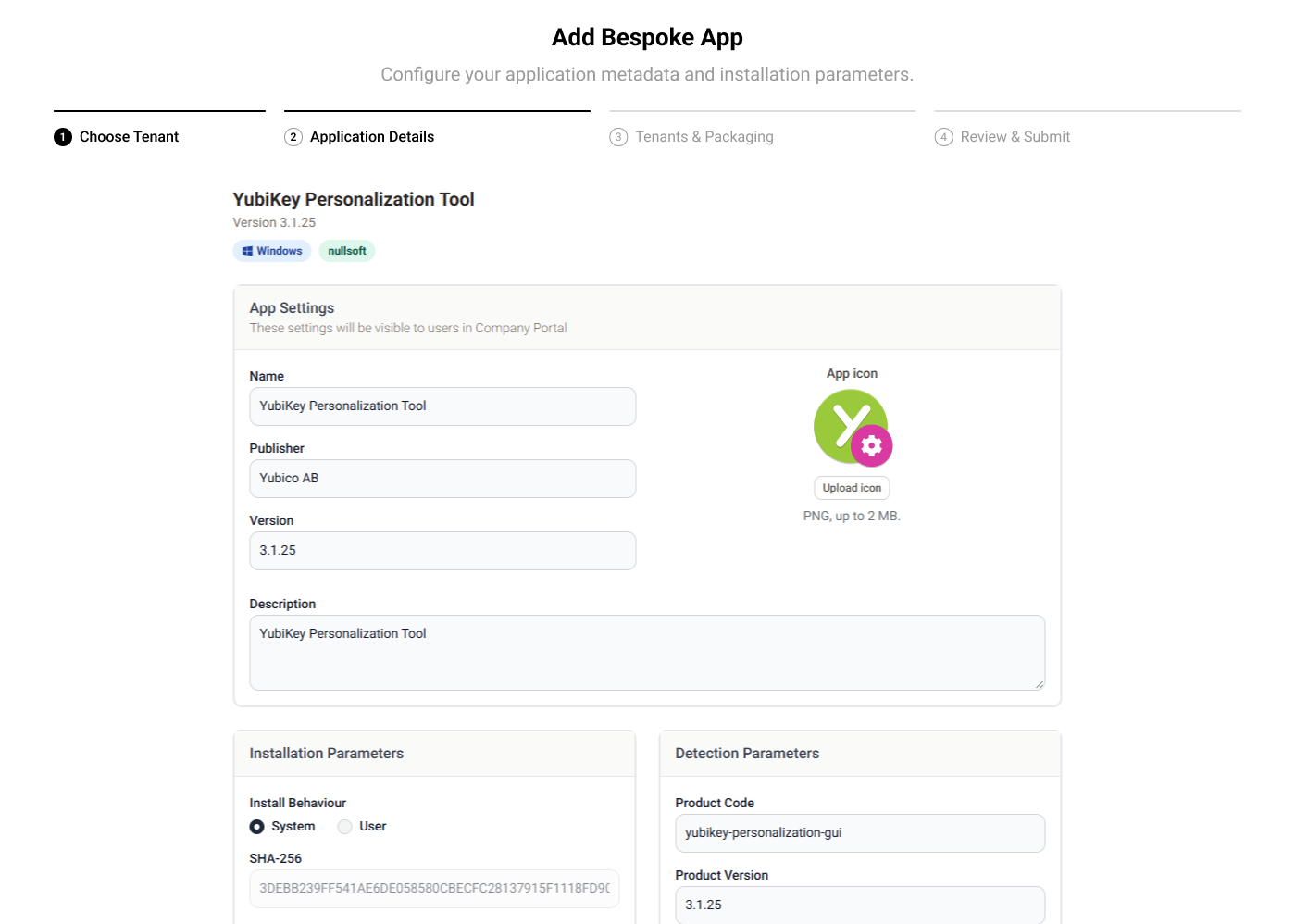
Upload your installer and provide the installation requirements through Devicie's Intune Native App Packaging workflow. Devicie handles package preparation within the agreed application scope.
Your team can then manage deployment assignments through Intune. The process gives supported applications outside the catalog a path into ongoing management.
- Start with your installer. Submit the file directly, without first packaging it yourself.
- Specify what your organization needs. Add installation arguments and tailor the application details.
- Use a reviewed and tested process. The reviewed submission workflow includes a person checking the package and testing that it installs before it reaches your tenant.
- Reuse the setup for the next version. Submit the new installer and reuse the previous configuration details.
The continuing work
The next release is part of the product
The workload returns every time an application changes. A catalog application needs its next package. Your own software needs its next installer submission. Devices still running older versions need investigation.
Devicie maintains supported catalog packages and provides a repeatable packaging process for submitted installers. Your team keeps the decisions about application selection, business compatibility and rollout.
Evaluate the second release as carefully as the first. That is where the continuing work becomes visible.
Shared responsibility
Compare application coverage and ongoing responsibilities
Use one catalog application and one installer your team maintains to compare the work. Compare the customer actions and time required for each step. Catalog size alone cannot show how much maintenance your team will retain.
| Step | Devicie provides | Your team owns |
|---|---|---|
| Identify what is installed | Reported application and version inventory | Decide what belongs and what should be managed |
| Prepare a supported catalog update | Maintained application package | Validate business workflows and choose rollout settings |
| Package your own software | Submitted-installer packaging and the reviewed workflow | Supply the installer, requirements and subsequent versions |
| Review deployment | Assignments and reported installation results | Investigate exceptions and confirm business acceptance |
Questions we get asked
Can Devicie show applications our team did not deploy?
Devicie's device inventory includes applications installed for individual users as well as system installations. This helps your team identify software outside its expected application set.
What if an application is not in the catalog?
You can submit your installer through the bespoke application process, along with its installation requirements. Devicie packages it for deployment through Intune.
Will Devicie automatically find new versions of our own software?
For bespoke applications, you submit the new installer. The workflow lets you reuse the previous configuration details.
How do we check whether our applications are covered?
Compare your application list with the current catalog and confirm platform, version and installation requirements. Windows and macOS coverage differs. Review any unmatched installers through the packaging workflow.
Does assigning an application mean it has installed?
Assignment and installation are different states. Devicie provides reported installation status so your team can review deployment results and investigate where needed.
Start with the applications your business is actually using
Review your application requirements, explore catalog coverage and see how Devicie handles software specific to your organization.