
Application patching
Keep applications up to date with native Intune patching
Devicie prepares and tests supported third-party application updates for deployment through Microsoft Intune. Your team validates business workflows and controls rollout.
The recurring work
Every update creates another job
An application update starts a sequence of work: prepare the package, make it available to the right people, check the outcome and investigate the devices still on older versions.
As the number of applications grows, that work competes with support, projects and urgent business requests. A package waiting for attention leaves the previous version in use. An update made available without checking installation can leave the same gap.
Keeping applications up to date requires a process that continues after the first deployment.
What is installed
Start with the software people actually have
The list of applications IT deploys is only part of the picture.
Devicie reports installed applications, including software installed in user context, and shows the versions found across devices. Your team can identify version sprawl and compare what is present with what the business expects.
Use that information to agree which applications should be managed, which need further investigation and which should be removed through your organization's processes.
From release to deployment
Keep pace with application releases
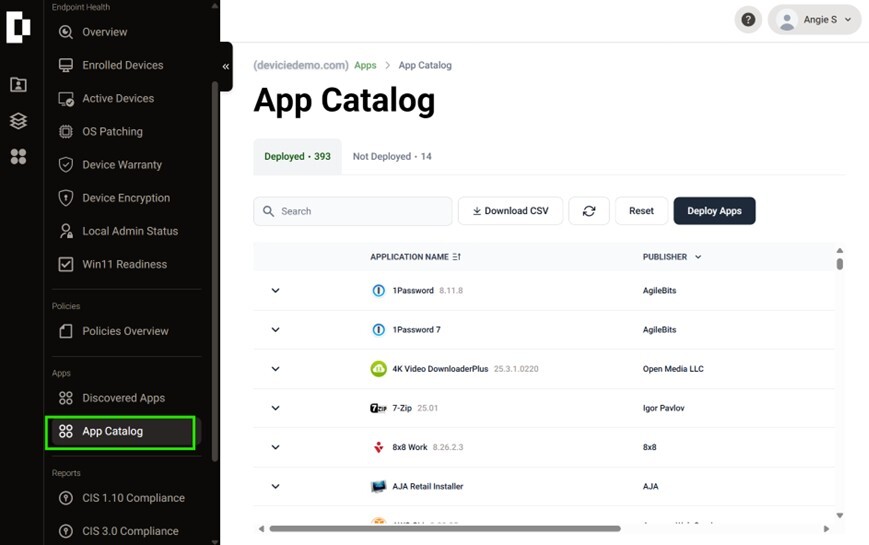
Devicie maintains application packages in its catalog as publishers release updates. Your team can select supported applications and deploy them through Intune without rebuilding each package internally.
Catalog entries show when they were last updated. Coverage includes Windows and macOS applications, with a different selection available for each platform.
The useful comparison starts with the applications your organization uses: which are covered, which versions are available and which still need a separate process.
Reported results
See installation results across your devices
A package being available is one milestone. Installation on a device is another.
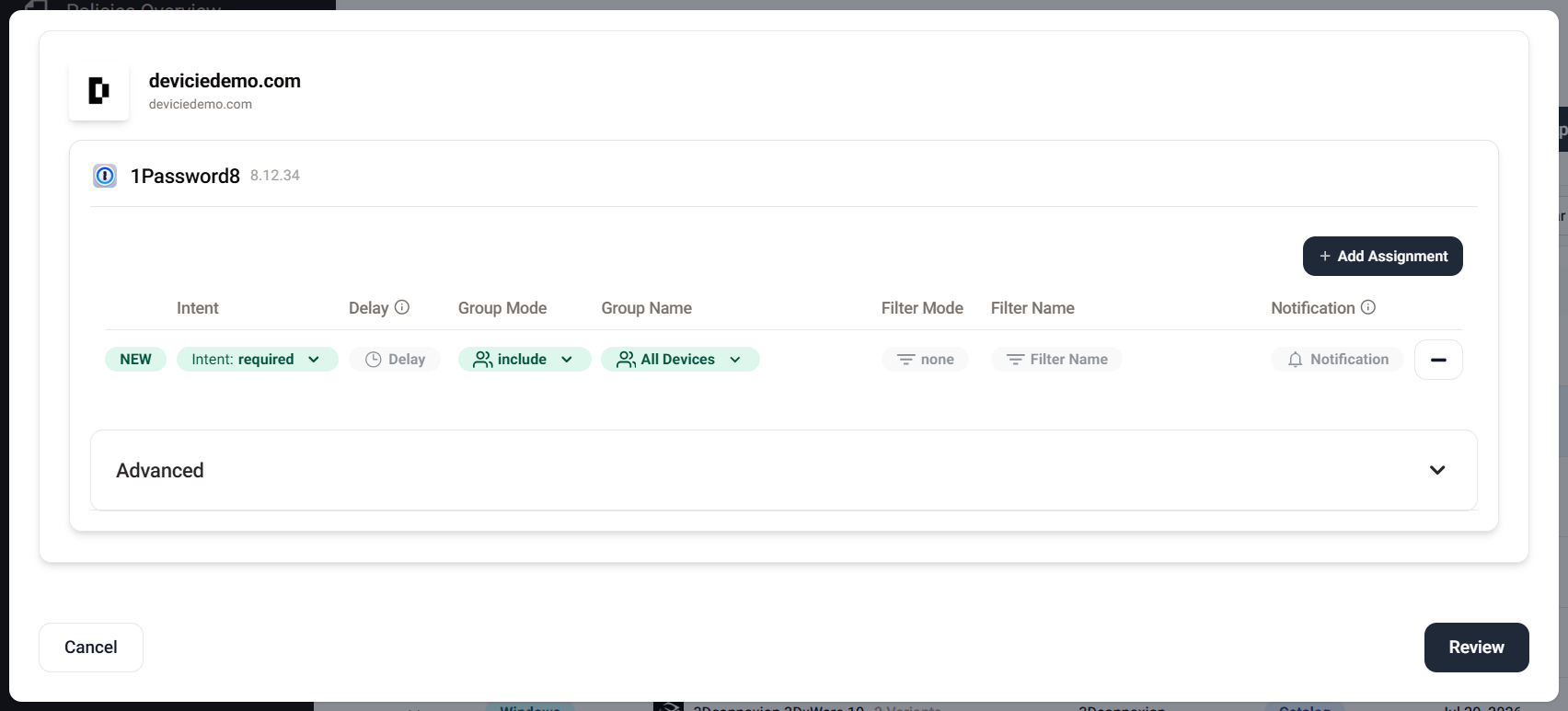
Devicie lets your team manage application assignments and review reported installation status. Use those results alongside discovered versions to identify where follow-up is needed.
Reporting refreshes daily. Deployment timing also depends on your assignments, deployment settings and device communication with Intune. Your team retains responsibility for rollout decisions and exceptions.
The next release
Keep the next release from restarting the same work
An internal packaging process needs someone to maintain it as publishers change installers and release new versions. Scripts, documentation and specialist knowledge need attention too.
Devicie takes on recurring catalog package maintenance. Your team can focus on deciding what belongs in the environment, how updates should be introduced and where reported results need investigation.
That work continues every time the software changes. A successful first deployment is the beginning of the maintenance cycle.
Make the comparison
Evaluate the applications that matter to you
Compare the same application set through a subsequent release. Devicie's contribution is maintained packaging for supported applications, with application details and reported results your team can review. Make the comparison on the work your team stops repeating and the decisions it retains.
| Question | What to inspect |
|---|---|
| Is the application covered? | Platform, available version and installation requirements |
| Who prepares the update? | Package preparation performed and any customer inputs |
| When is it ready? | Observed package availability, separate from deployment timing |
| What reaches devices? | Reported installation results and remaining exceptions |
| What repeats next time? | Customer actions needed for the next publisher release |
Questions we get asked
Does discovering an application automatically put it under management?
Discovery provides visibility. Your team still needs to agree which applications to manage and establish the relevant deployments.
What about applications outside the catalog?
You can submit your own installers for packaging through Devicie's application packaging workflow. Subsequent versions require a new installer submission.
Does this cover macOS?
The catalog includes Windows and macOS applications. Check coverage for each application and platform you need.
Does a ready package mean all devices are updated?
No. Package availability, assignment and reported installation are separate stages. Your team should review deployment results and investigate exceptions.
Review your coverage and the work behind it
Bring the applications you use and the update process your team maintains. See which packages Devicie already provides, how assignments are managed and what the reported results show.