
Intune Native App Packaging
Keep specialized applications out of the packaging backlog
The software your business depends on will not all be in a standard catalog. Give Devicie the installer, define how the application should be installed and use a reviewed packaging process for deployment through Intune. Agree the supported application requirements and packaging terms as part of your evaluation.
Specialist software
The difficult applications still need an owner
An internal tool, an industry-specific application or a large software suite can create work long before anyone can use it.
Someone has to prepare the installer for deployment, add the right arguments, check that installation works and maintain the process when the next version arrives. If that knowledge sits with one person, an ordinary software request can become a dependency on their availability.
The business needs the application. Your team needs a repeatable way to make it available.
The workflow
Prepare specialized applications for Intune
Devicie's workflow for your own applications starts with the installation file. You upload it directly; it does not need to be hosted at a public URL or packaged for Intune first.
Supply the file
Upload the installer for the application and version you need. Agree any specific requirements so the package reflects how your organization intends to use it.
Review the installation details
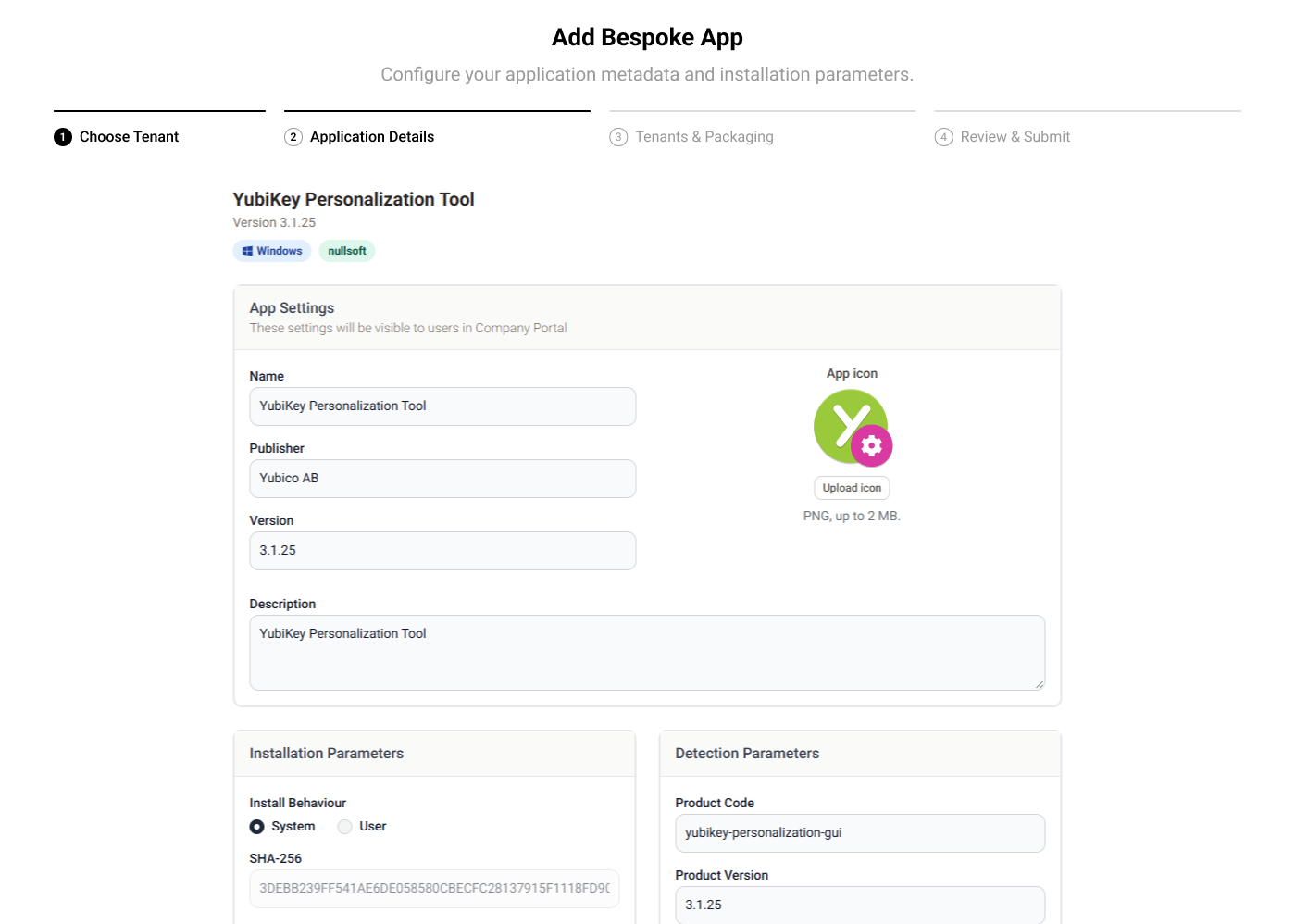
Where supported, Devicie reads information from the installer and pre-fills the application details. You can adjust the description, provide installation arguments and specify the relevant deployment requirements.
Use the reviewed packaging workflow
In the reviewed workflow, a person checks the submission and the package goes through testing that validates installation before it is delivered to your tenant.
Assign the application
The packaged application appears in application management, where your team can manage assignments to the relevant users and review reported installation status.
The next version
Reuse your setup for the next version
Specialized software creates recurring work as new releases arrive.
When you receive the next installer, submit it using the previous configuration details and review anything that needs to change. Your team can reuse the earlier setup instead of re-entering the same information for every release.
You remain responsible for supplying new versions of your own software. Devicie provides the packaging process that follows each submission.
Who does what
Keep control of what reaches your users
A package needs to work in the deployment process. The application also needs to work for the people who use it. That division lets your team hand over packaging work while keeping the decisions that depend on your business.
Devicie's reviewed workflow covers
- Package review
- Installation testing
Your organization retains responsibility for
- Application licensing
- Business acceptance
- Deciding when to introduce a version to users
Make the comparison
Compare support for applications outside the catalog
Bring the same installer to each evaluation. Follow it through the first package and the next version. Devicie's workflow starts with your installer, with package preparation and a reviewed path for testing. That makes customer effort throughout the maintenance cycle a more useful comparison than whether a vendor lists "custom apps."
| Packaging task | What to establish |
|---|---|
| Supply the application | Installer, dependencies and installation requirements the customer provides |
| Prepare the package | Who builds the deployable package and resolves packaging issues |
| Review and test | What the chosen workflow checks and what needs business validation |
| Deliver the next version | New inputs required and previous setup that can be reused |
| Confirm the terms | Supported scope, turnaround and charges for the application in question |
Questions we get asked
Does the installer need to be publicly accessible?
No. You upload the installation file directly.
Do we have to prepare an Intune package first?
The workflow starts with your installer. You supply the installation requirements; Devicie handles packaging.
Will Devicie automatically find new releases of our own application?
This workflow uses the installers you submit. Supply the new installer when a version needs to be packaged.
Is human review part of the process?
The reviewed workflow includes a person checking the submission. Devicie also offers a path to proceed without that review, so choose the workflow appropriate to your organization.
How do we check whether our application is supported?
Review the installer and its requirements with Devicie. The application's format, dependencies and installation behavior determine the work involved.
Walk through an application your team has to maintain
Discuss a specialist application, its installation requirements and how often it changes. See the submission, review and assignment workflow, followed by the process for a subsequent version.