
Configuration drift
Keep your security decisions in force
A setting changed during an incident can remain changed long after the incident ends. Devicie restores managed policies to their agreed state and sends a readable notification explaining what changed and what was corrected.
How drift happens
An agreed configuration needs ongoing protection
Your team invests time in deciding how devices should be configured. Those decisions reflect security requirements, business needs and the exceptions you are prepared to accept.
Day-to-day administration can move a policy away from that agreement. A setting is loosened to resolve a support issue. A troubleshooting change is left in place. Another administrator makes an edit without knowing why the original setting mattered.
Each change creates follow-up work: identify the difference, establish the intended state and restore it.
Notice and correct
Detect drift. Correct it automatically.
Devicie automates correction of drift in the policies it manages.
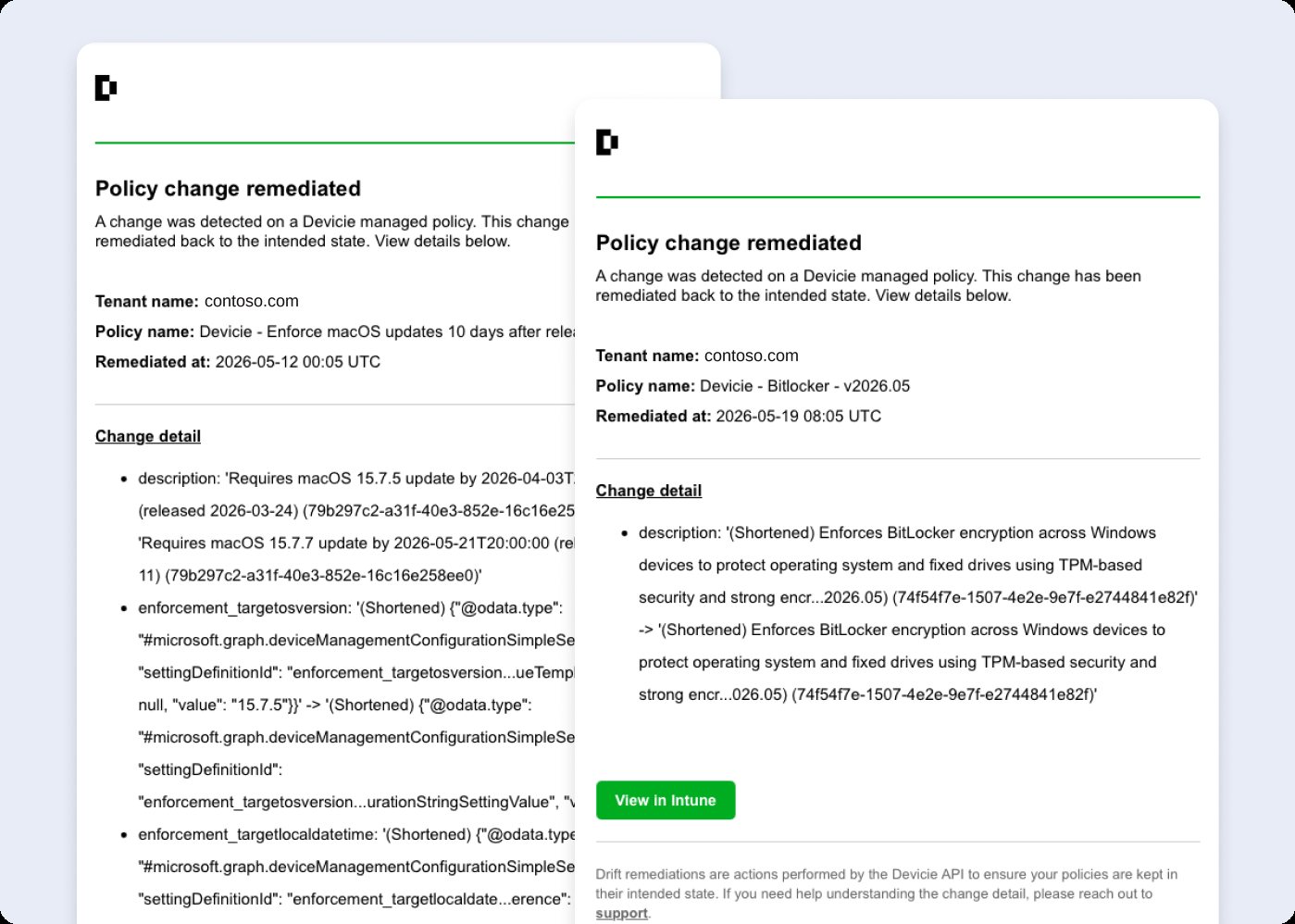
When a managed policy moves away from its agreed state, Devicie restores it. Your team receives a readable notification about the change and remediation, giving administrators information they can review without carrying out each correction themselves.
Correction restores the managed policy. Device receipt and effective device state are assessed separately.
That helps prevent temporary policy changes from becoming lasting gaps in your agreed security configuration.
Step by step
What happens when a setting changes
Consider an administrator temporarily loosening a setting in a managed policy to resolve an issue. This is a policy-management workflow. A correction in Intune and its subsequent receipt by a device are separate events.
The agreed state is already established
Devicie manages the policy against that configuration.
The policy is changed
The deployed policy differs from the state Devicie is managing.
Devicie corrects the drift
The managed policy is restored.
Your team is told
A readable notification explains the change and correction.
Intentional change
Give deliberate changes a deliberate process
Business requirements change. Your managed configuration needs a defined way to change with them.
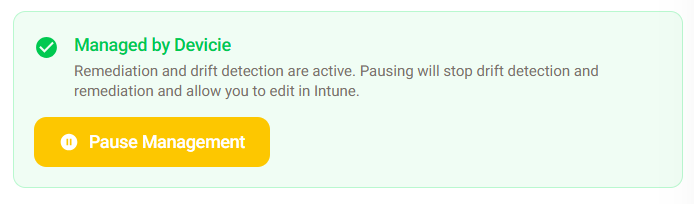
Devicie provides a pause, edit and resume workflow for intentional changes to managed policies. Authorized administrators can use that process when adapting the configuration, rather than treating direct edits as an informal exception to management.
Your team decides the requirements and who can change them. Devicie provides a consistent process for managing the policy.
Configuration development
Keep configuration current as requirements change
Restoring an agreed setting and deciding whether that setting should change are separate responsibilities.
Devicie's specialists review new Intune capabilities and changes to security benchmarks, then develop, test and refine Devicie configurations. Your team can draw on that maintained work when planning improvements.
Drift remediation preserves the state you have agreed. Configuration development helps you consider what that state should become as requirements evolve.
Build versus buy
Compare how drift is corrected
A policy check needs a maintained process around it: the agreed state, a correction mechanism, intentional-change handling and useful notifications.
Devicie provides that workflow for supported managed policies. Your team decides the requirements and reviews the corrections while automation handles the supported restoration work.
Compare an actual policy edit in your existing process with the Devicie workflow. Then test an intentional change. Record the administrator actions required and the output available for review.
Questions we get asked
Can Devicie manage an environment we have already configured?
Devicie supports adopting existing configuration as well as deploying Devicie configurations. The supported policies and starting point should be agreed for your environment.
Will it recognize that a direct edit was intentional?
Use the supported change workflow for intentional changes. An edit being deliberate does not, by itself, update the state Devicie is managing.
Does this cover every setting in our tenant?
The remediation described here applies to the policies Devicie manages. Establish the managed scope as part of the implementation.
Does a corrected policy prove a device is compliant?
Policy correction establishes that the managed policy was restored. Device receipt and effective device state need to be assessed separately.
See the correction and the change process
Walk through a managed-policy change, its remediation and the notification your team receives. Then review how an authorized administrator makes a change that should remain.