
Platform / Configuration
Keep your Intune security controls in force
Your business relies on its security configuration every day. Devicie detects and corrects drift in managed Intune policies, while our specialists develop and test configuration updates as Intune capabilities and security benchmarks evolve. Keep agreed settings in place and reduce the ongoing maintenance work your team has to carry.
Where you start
Start with the configuration your business needs
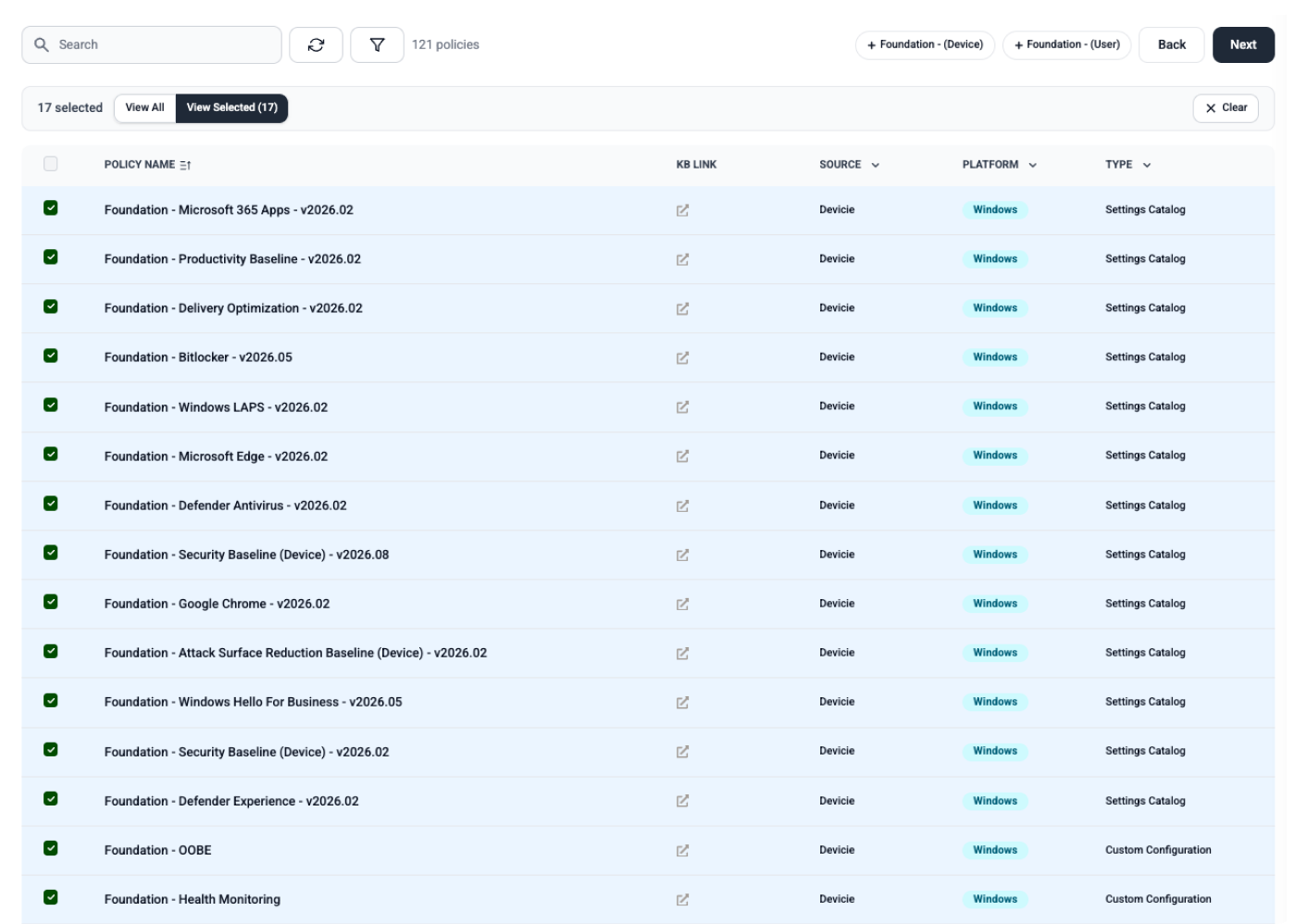
Microsoft Intune provides the policy and configuration controls. Devicie maintains the agreed state of supported managed policies over time, detects and corrects drift, and notifies your team of changes. Your team controls intentional changes, including when to pause and resume management.
Your team may be configuring Intune for the first time or maintaining policies already in production. Devicie can provide documented configuration or bring supported existing policies under management.
Agree the settings and scope, review changes and test them in your environment. That establishes what Devicie will maintain as administration continues.
A troubleshooting edit can still move a policy away from that agreement. Devicie handles correction for managed policies, while your team decides when the agreement itself should change.
Drift and correction
See policy drift detected and corrected
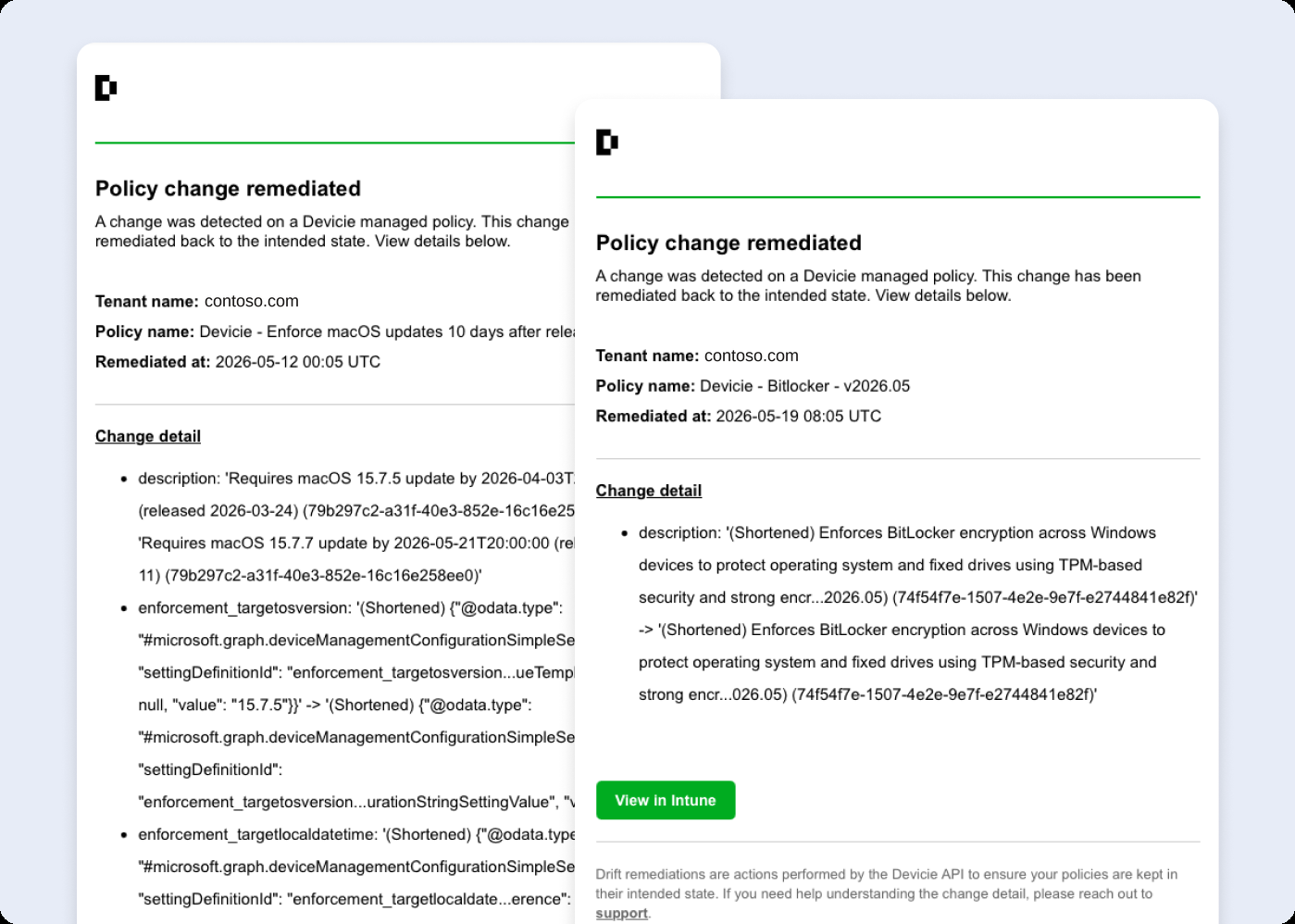
When a supported managed policy differs from its agreed state, Devicie restores it and provides a readable notification explaining the change and correction.
For example, consider a managed policy setting edited directly in Intune while management is active. Devicie identifies the difference, restores the agreed policy and tells your team what happened. Your administrator can review the correction without manually restoring that policy.
Devicie corrects drift in supported managed policies in Intune. Device reporting shows whether those changes have reached and been applied by individual devices.
Ongoing development
Keep improving as requirements evolve
A policy can remain unchanged while the requirements around it move on.
Devicie's specialists review new Intune capabilities and changes to security benchmarks, then develop, test and refine updates to Devicie configurations. Your team can draw on that maintained configuration work when planning improvements to its environment.
This gives you access to ongoing Intune expertise and reduces the configuration research and development your own team has to carry.
Intentional change
Make configuration changes deliberate
Configuration needs to accommodate new requirements. Devicie supports adopting existing configuration as well as deploying Devicie configurations.
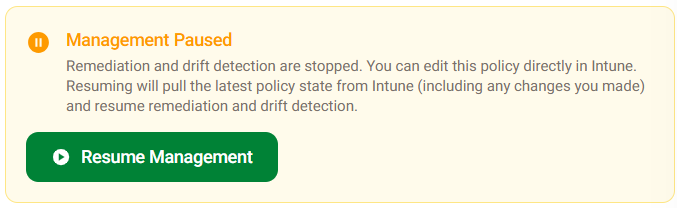
For managed policies, a pause, edit and resume workflow provides a defined path for deliberate changes. Your team can adapt configuration while following a consistent process for changing what Devicie manages.
What to compare
Compare how configuration is maintained over time
A drift check is one part of an operating process. Someone also needs to define the agreed state, handle corrections, support intentional changes and maintain the automation as Intune evolves.
Devicie combines managed-policy correction and readable notifications with ongoing configuration development. Your team retains its requirements and change decisions.
Evaluate an actual managed-policy edit, inspect the correction and notification, then make an intentional change through the supported workflow. That demonstrates the work automated and the control your team retains.
Questions we get asked
Our Intune environment is already configured. Why would we need Devicie?
An established configuration still needs maintenance. Devicie corrects drift in managed policies and develops and tests updates to its configurations as Intune and security benchmarks evolve. That ongoing work supports the environment you already have.
Can we keep our existing configuration?
Devicie supports adopting existing configuration as well as deploying its own. The starting point depends on your environment and which policies Devicie will manage.
Does Devicie correct drift or just report it?
Devicie corrects drift in managed policies and provides readable notifications about the changes and remediation.
Can we make changes intentionally?
Yes. Managed policies have a pause, edit and resume workflow for deliberate changes. Your team can adapt configuration as business requirements change.
Does correcting drift also update our security standard?
Drift remediation restores the agreed policy state. Evaluating improvements and updating that agreed configuration are separate activities. Devicie's specialists develop and test configuration updates that your team can draw on as it plans those improvements.
See how Devicie supports your configuration over time
Talk through the controls you need to maintain, the improvements you want to make, and the configuration work your team handles today.